Managed to get my two-wheeled bot built.
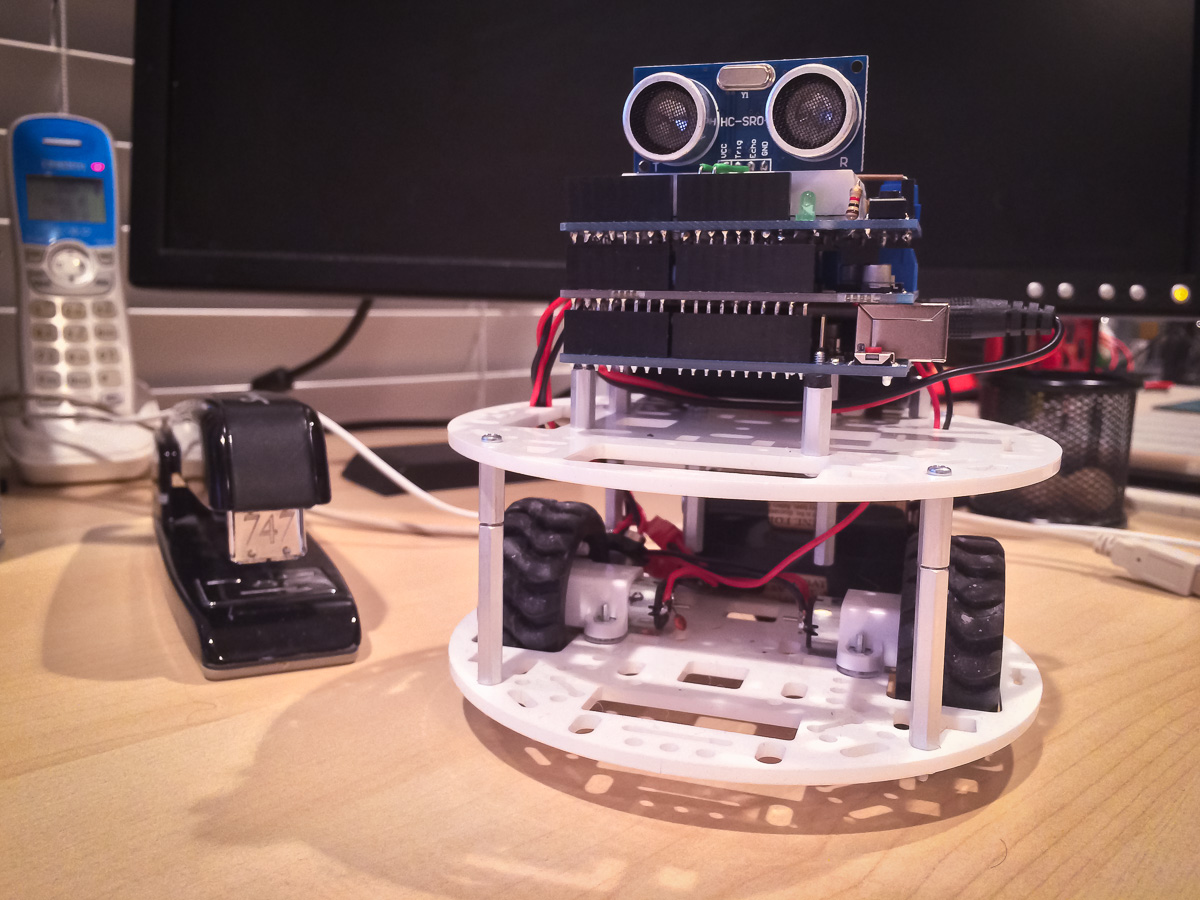
WallBot
It’s not the prettiest but it works.
The Build
In fact it was a lot more work than I thought it would be. The hardest part was securing the two power supplies – 4 AA’s for the motors and a 9V battery for the Arduino.
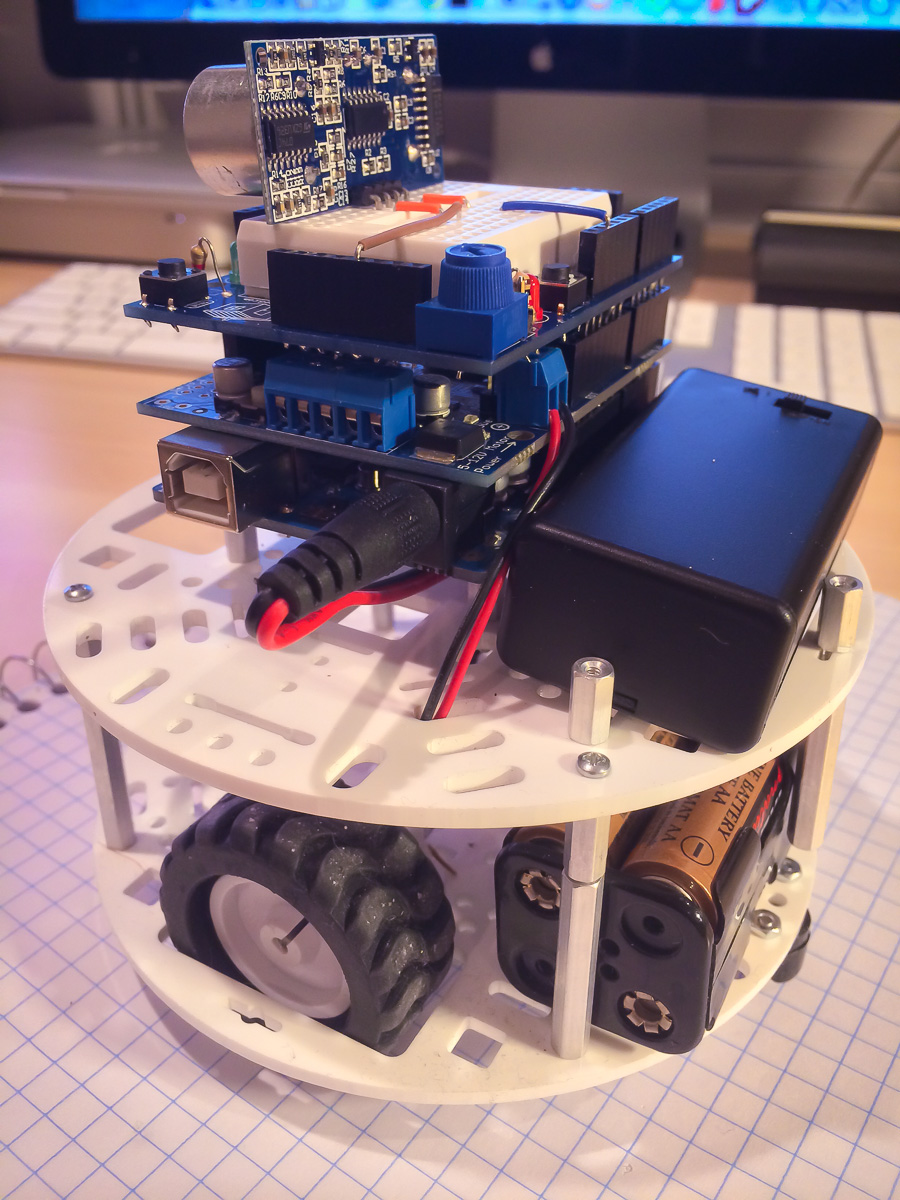
WallBot Left View
I ended up using spacers to create “holding pens” for both. The top deck has the black clunky Arduino battery case that came with my starter kit. I could have just used the 9V battery by itself but the case has a convenient switch.
The two small wires coming up form the lower deck are the wires from the 4xAA battery pack below. They connect to the power terminal block on the Adafruit V2 motor shield, which is sandwiched in between the Arduino Uno (on the bottom) and the Maker pro to-shield (on top):

Adafruit V2 Motor Shield
This shield can control 4 DC motors up to 1.2 amps (3 amps peak) each. It is similar to the servo shield in that it has it’s own microcontroller onboard that you talk to via the I2C serial bus. Very cool.
On the other side you can see the larger motor wires connecting to the shield’s motor output blocks.

WallBot Right View
The red and black wires connect the motor shield outputs to the motors below.
On the proto-shield is mounted the sonic sensor.
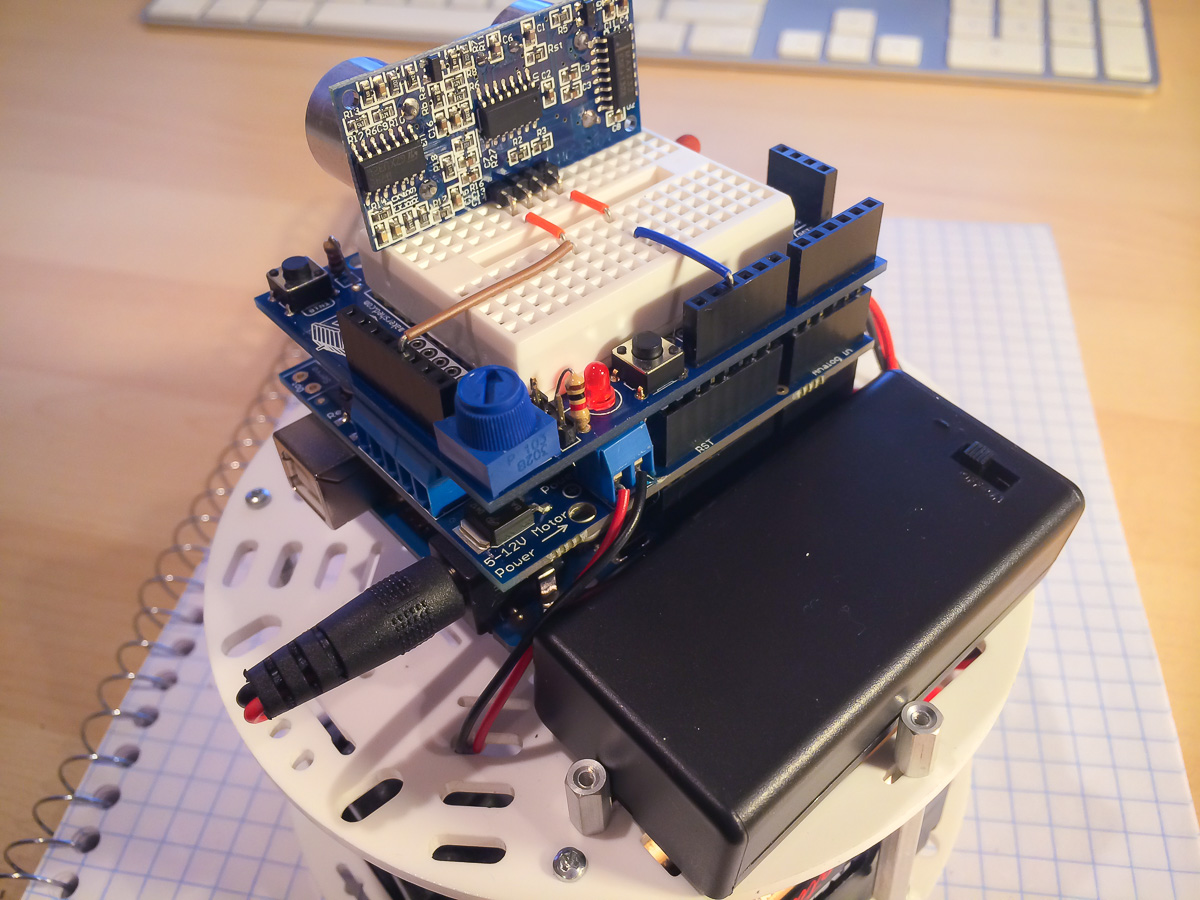
Top Deck View
You can see jump wires running power and GND to the sensor.
On the front, jumpers connect the “trig” and “echo” lines to pins 9 and 10.
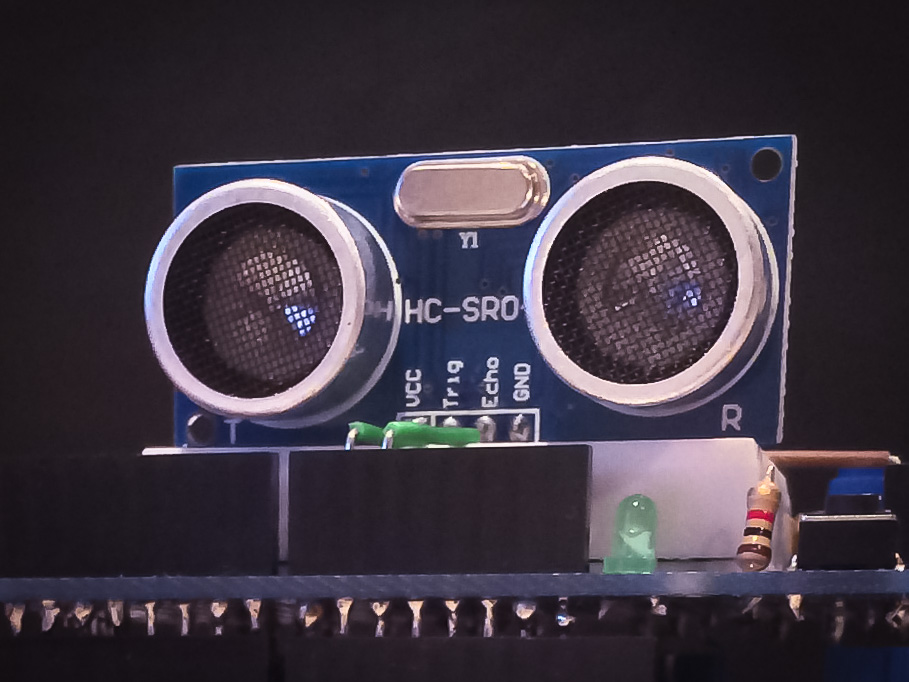
Sonic Sensor
The Sensor
The sensor works by emitting a series of sound pulses when the “trig” pin is driven high for 10 us. The “echo” pin then goes high until an echo is heard. Here is the code I use to read it:
// returns 100ths of inches
int readDistance()
{
  // reset trig pin
  digitalWrite(trigPin, LOW);
  delayMicroseconds(2);
  // pulse trig pin
  digitalWrite(trigPin, HIGH);
  delayMicroseconds(10);
  digitalWrite(trigPin, LOW);
  // read duration till echo
  long duration = pulseIn(echoPin, HIGH, 60000);
  return duration ? (int)((duration*50L)/74L) : 10000;
}
The pulseIn() function returns the time (in microseconds) that the echoPin stays high. It will time-out after 6000 us and return 0 as the result.
One thing to note is that readDistance() cannot be called too rapidly so make sure to ensure at least a 100 ms delay between calls.
The Video
So here is a short clip of the bot trying to avoiding walls:
Some issues that stand out:
- Wallie does not travel in a straight line. In the code I had to adjust the relative speeds of the motors. I really need to get those encoders.
- The sensor is not effective when at oblique angles to surfaces.
- I need to put some padding on the battery packs for they don’t rattle so much.
Pretty crude but it’s a start. Great to see progress. I see a lot of Wallie in my future.
The Code
Here is the code I used in the video. It uses the Adafruit Motor library so you’d have to modify it to interface with whatever motor system you use. You’ll also have to modify the sensor reading code if you have a different make.
[I have a GitHub repo for all Wallie related code]
// include needed libraries
#include <Wire.h>
#include <Adafruit_MotorShield.h>

// Bot states
enum State
{
  IDLE,
  MOVING,
  STOPPING,
  TURNING,
  NUM_STATES
};

#define LEFT  1
#define RIGHT 0

// for debug output
char *stateName[NUM_STATES] =
{
  "idle",
  "moving",
  "stopping",
  "turning"
};

// get motor shield set up
Adafruit_MotorShield AFMS = Adafruit_MotorShield();
Adafruit_DCMotor *lm = AFMS.getMotor(4);
Adafruit_DCMotor *rm = AFMS.getMotor(3);

int trigPin = 9;
int echoPin = 10;

State state = IDLE;
int lastDistance = 0;
int lastState = -1;
int stopDistance = 500;    // 100ths of inches
int startDistance = 1000;  // 100ths of inches
int turnSpeed = 50;        // 0..255
int moveSpeed = 90;        // 0..s55

// forward references
void outputDebug( int distance );
void stopMoving( void );
void turn( void );
void moveForward( void );

void setup()
{
  // set up Serial library at 9600 bps
  Serial.begin(9600);
  Serial.println("Wall Bot!");

  // set up motors
  AFMS.begin();
  lm->run(RELEASE);
  rm->run(RELEASE);

  // setup sonic sensor
  pinMode(trigPin, OUTPUT);
  pinMode(echoPin, INPUT);
}

void loop()
{
  // read distance from sensor
  int distance = readDistance();

  // output debug info
  outputDebug( distance/100 );

  // some triggers
  int canMove = distance >= startDistance;
  int mustStop = distance <= stopDistance;

  // handle each state
  switch(state)
  {
    case IDLE :
    case TURNING :
    {
      if( canMove )
      {
        delay(200); // turn a little more
        moveForward();
      }
      else if (state != TURNING)
      {
        turn();
      }
      break;
    }

    case MOVING :
    {
      if ( mustStop )
      {
        stopMoving();
      }
      break;
    }

    case STOPPING:
    {
      delay(500);
      turn();
      break;
    }
   }
   // small delay or sensor
   // will get over triggered
   delay(100);
}

// returns 100ths of inches
int readDistance()
{
  // reset trig pin
  digitalWrite(trigPin, LOW);
  delayMicroseconds(2);
  // pulse trig pin
  digitalWrite(trigPin, HIGH);
  delayMicroseconds(10);
  digitalWrite(trigPin, LOW);
  // read duration till echo
  long duration = pulseIn(echoPin, HIGH, 60000);
  return duration ? (int)((duration*50L)/74L) : 10000;
}

void stopMoving()
{
  rm->run(RELEASE);
  lm->run(RELEASE);
  state = STOPPING;
}

void turn()
{
  static int dir = LEFT;
  static int turns = 0;

  if( state != TURNING)
  {
    rm->setSpeed( turnSpeed);
    lm->setSpeed( turnSpeed);
    rm->run(dir == LEFT ? FORWARD : BACKWARD );
    lm->run(dir == LEFT ? BACKWARD : FORWARD );
    state = TURNING;
    if( ++turns == 3 )
    {
      // switch direction
       dir = (dir == LEFT ? RIGHT : LEFT);
       turns = 0; // reset count
    }
  }
}

void moveForward()
{
  if( state != MOVING)
  {
    // adjust motor speed so
    // you get a straight line
    // while moving forward
    rm->setSpeed( moveSpeed+2);
    lm->setSpeed( moveSpeed);
    rm->run(FORWARD);
    lm->run(FORWARD);
    state = MOVING;
  }
}

// print debug info without spamming the output
void outputDebug( int distance )
{

  if( lastDistance != distance)
  {
    Serial.print("dist = ");
    Serial.print(distance);
    Serial.println("\"");
    lastDistance = distance;
  }

  if( state != lastState )
  {
    Serial.println(stateName[state]);
    lastState = state;
  }
}
The Next Stage
In the next version of WallBot I mount the sensor onto a servo, as well as making him more compact: WallBot Version 2 —>
 solderspot
the code doesnot give error but it doesnot work with my robot , i used adafruit motor shield , arduino uno , HC-SR04 ultrasonic sesnsor and 2 dc motors for the wheels
LikeLike
You will have to trouble shoot it. Put in print statements so you can see what is happening. Also verify all your connections and wires are correct.
LikeLike